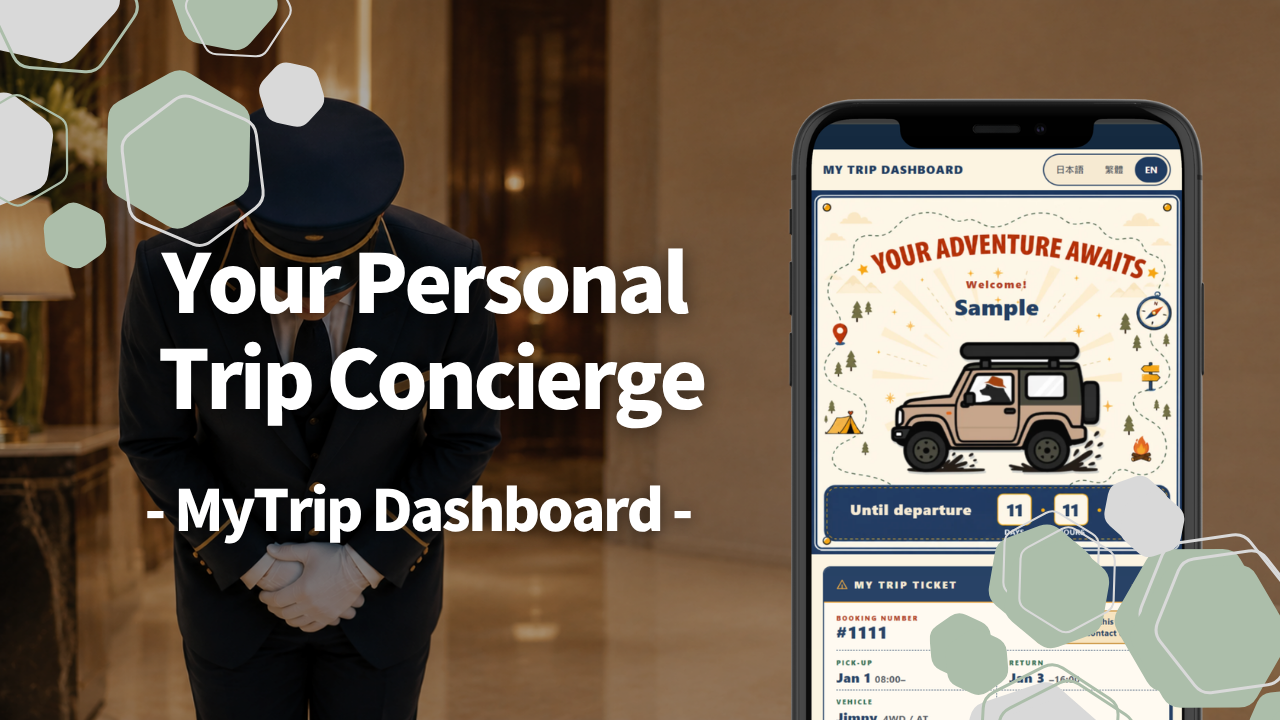
When you book with CLOUD NINE CAMPING JAPAN, there’s something else waiting inside the confirmation email you receive right after — something made just for you.
It’s a personal page built entirely around your own booking, called MyTrip Dashboard.
Why We Created MyTrip Dashboard
Every single guest at CLOUD NINE is visiting Japan from abroad — mainly from Taiwan, Hong Kong, Singapore, and Malaysia, all coming here for a camping trip.
And there are a few questions we hear almost every day.
“Can I drive on Japanese roads with my home country’s license?”
“How do I get through the tollgates on the expressway?”
“Do I need to book the campsite myself?”
Just how often we hear these questions tells its own story — a first camping trip in Japan comes with real uncertainty for so many of our guests. One unknown piles onto another before a trip that’s supposed to be exciting even begins. We wanted to build something that could clear that uncertainty away from the start.
But the more we thought about it, the more we ran into the same wall: the information each guest actually needs is different for every single person. Guests from Taiwan need the official Japanese translation of your license (日文譯本); guests from Hong Kong need an International Driving Permit (IDP). Winter travelers need to know how to handle snowy roads; guests arriving during a long holiday need to book their campsite early. And depending on which vehicle you’ve booked, how much luggage fits and which gear we hand over both change too.
And yet the only way we had to reach guests with all of this was email — one long message, the same for everyone. The more carefully we wrote it, the longer it got, and the information each guest actually needed just got buried deeper inside it. Honestly, that frustrated us for a long time.
We wanted to give each guest only the information that mattered to them. So we decided to build a page whose content changes for every single guest. That’s how MyTrip Dashboard — your own personal concierge — came to be.
What You Can Do With MyTrip Dashboard
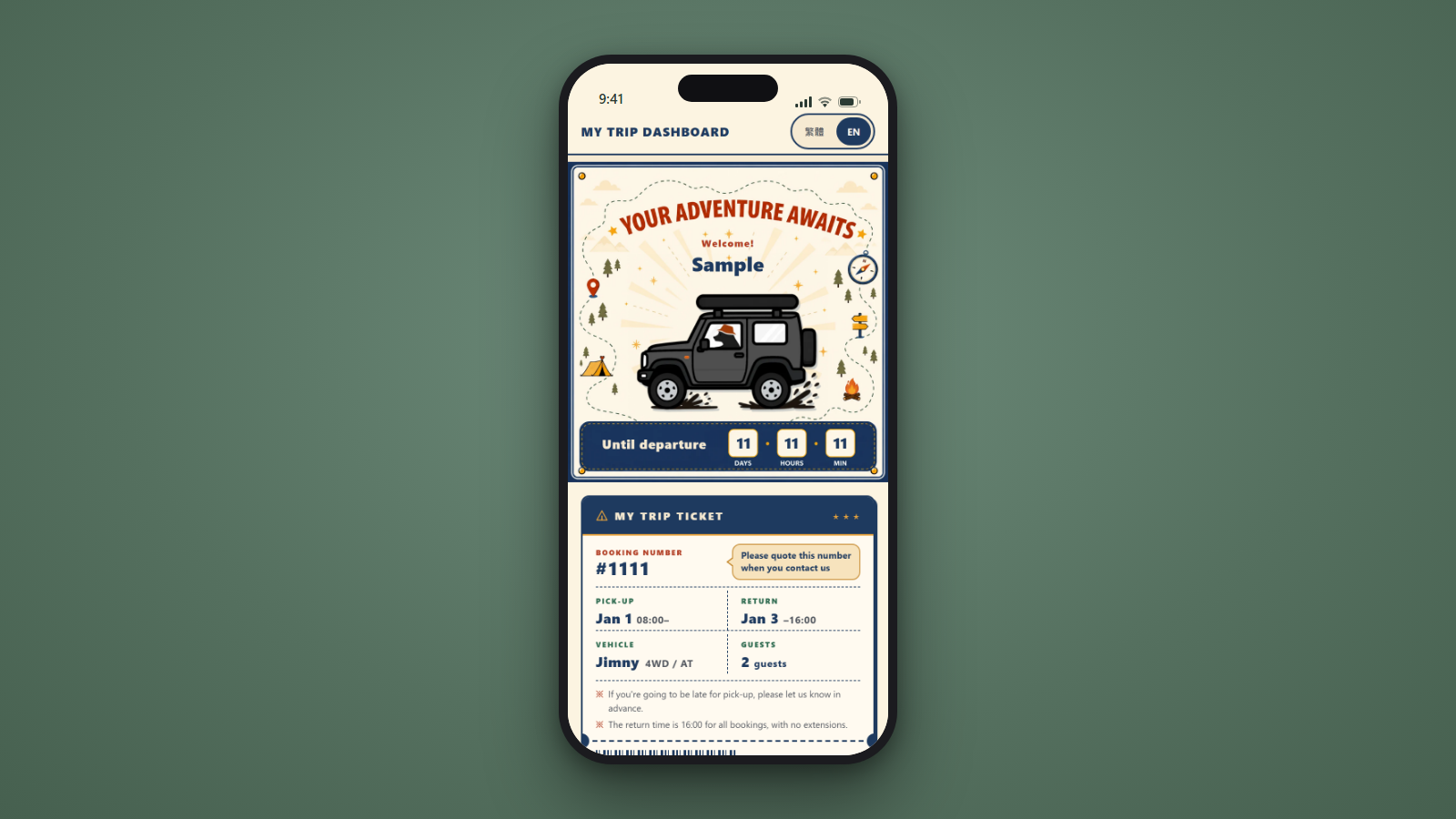 Open MyTrip Dashboard and you’ll find five tabs: Trip Prep, Map, Driving & Safety, Gear, and Info & FAQ. What’s inside each one rearranges itself automatically to match your booking — your name, vehicle, group size, pick-up and return times, language, and nationality. Here’s a closer look at what it can do.
Feature ①|Your Name and Your One-of-a-Kind Vehicle: The First Thing You See
The moment you open the page, you’ll see your name and an illustration of the vehicle you booked. Not just the model — the body color matches your actual vehicle too, down to the exact one you’ll be picking up. It’s the one and only version of that car anywhere in the world, drawn just for you. To make that possible, we had every single vehicle in our fleet illustrated, one by one.

Right below it sits a booking card designed like a boarding pass — your booking number, pick-up and return times, vehicle, and group size, all visible at a glance. We wanted that feeling of “my trip has already started” to kick in the moment you book, so we added a countdown to departure too.
Feature ②|Driver’s License Guide, by Country
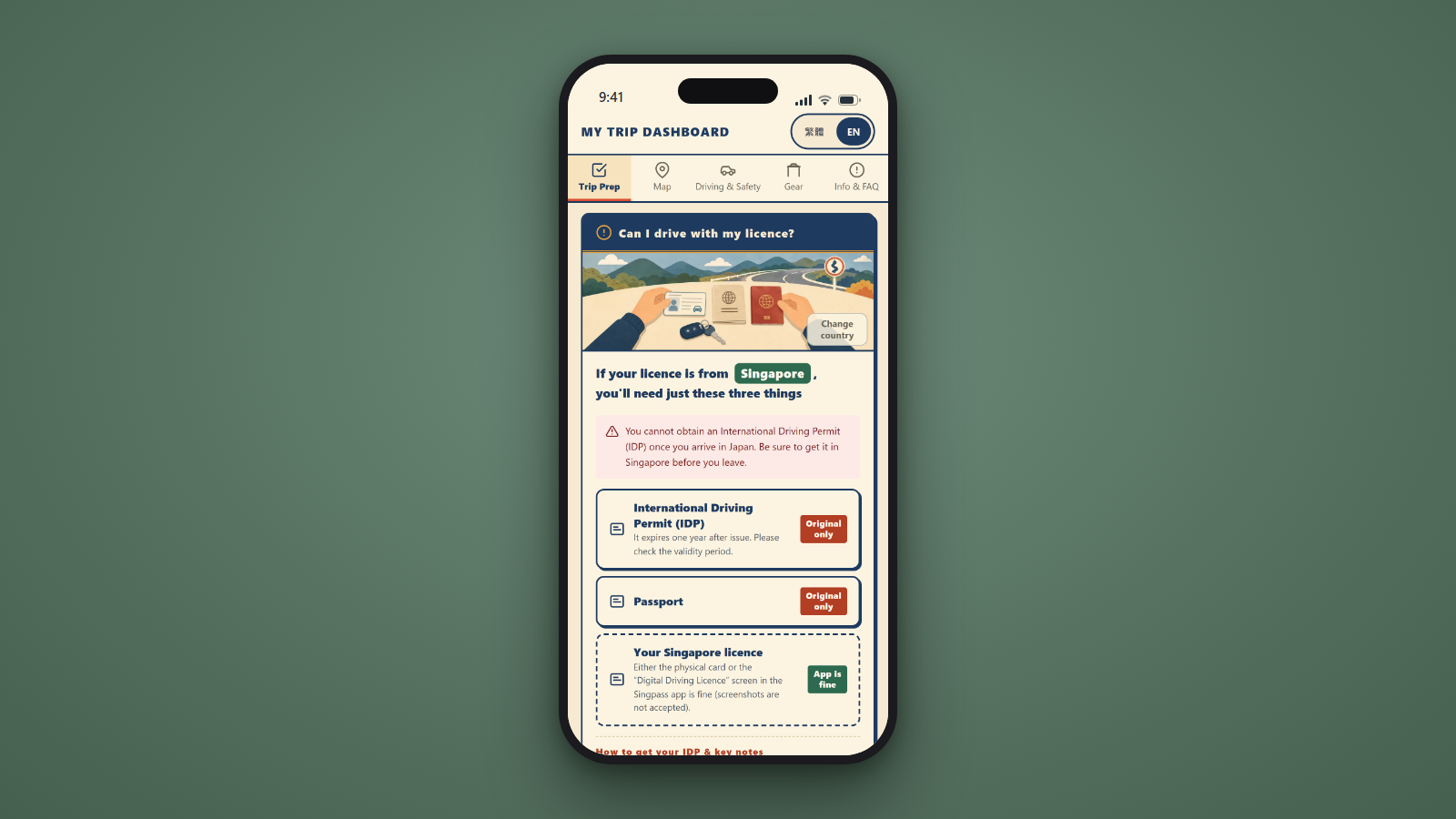 “Can I drive on Japanese roads with my license?” — MyTrip Dashboard answers that instantly, country by country, whether you’re coming from Taiwan, Hong Kong, Singapore, Malaysia, Korea, the UK, the US, or the EU. Only the documents you personally need show up in your list — nothing else.
For guests from Taiwan, that means the official Japanese translation of your license (日文譯本). For guests from Hong Kong, it’s an International Driving Permit (IDP). An IDP can’t be arranged once you’ve already arrived in Japan, so getting it sorted before you leave is essential. Answers like these are already sitting there, matched to your country, from the moment you open the page.
What we really cared about, though, was what comes next. We added direct links to the official offices in each country where you can apply for your International Driving Permit or your Japanese translation. There’s no need to go hunting for “what to apply for, and where.” You can start preparing your license right there, from inside the guide.
Feature ③|A Driving Guide That Adjusts to Your Country — and the Season
Cars in Japan have the steering wheel on the right, and traffic keeps to the left. For guests from Hong Kong, Singapore, and Malaysia, that’s exactly what you’re used to at home. For guests from Taiwan and Korea, it’s the complete opposite. So for anyone coming from a country where the driver’s side is different, MyTrip Dashboard shows a dedicated set of driving notes just for you.
The season works the same way. Book between December and March, and a “First-Time Snow Driving Guide” appears automatically — explaining that every vehicle runs on studless tires and walking you through what to watch for on snowy roads, in a way that makes sense even if you’ve never driven in snow before.
Feature ④|Recommended Campsite List
 You’ll get a list of recommended campsites, mostly around Mt. Fuji, all personally visited and chosen by our CLOUD NINE staff. Each one comes with more than just what makes it special — we walk you through exactly how to book it, step by step, and tapping the link takes you straight to the booking page. Even if this is your first time booking a Japanese campsite yourself, you won’t be left guessing.
Feature ⑤|How Much Luggage Can You Pack? A Vehicle-by-Vehicle Guide
How many suitcases you can bring is a real question that shapes how you pack. MyTrip Dashboard shows exactly how much luggage fits in your specific vehicle, with illustrations and photos that make it easy to picture. And if something doesn’t fit, we’ll let you know that we can store it at our shop free of charge.
Feature ⑥|Camping Gear List and Setup Videos
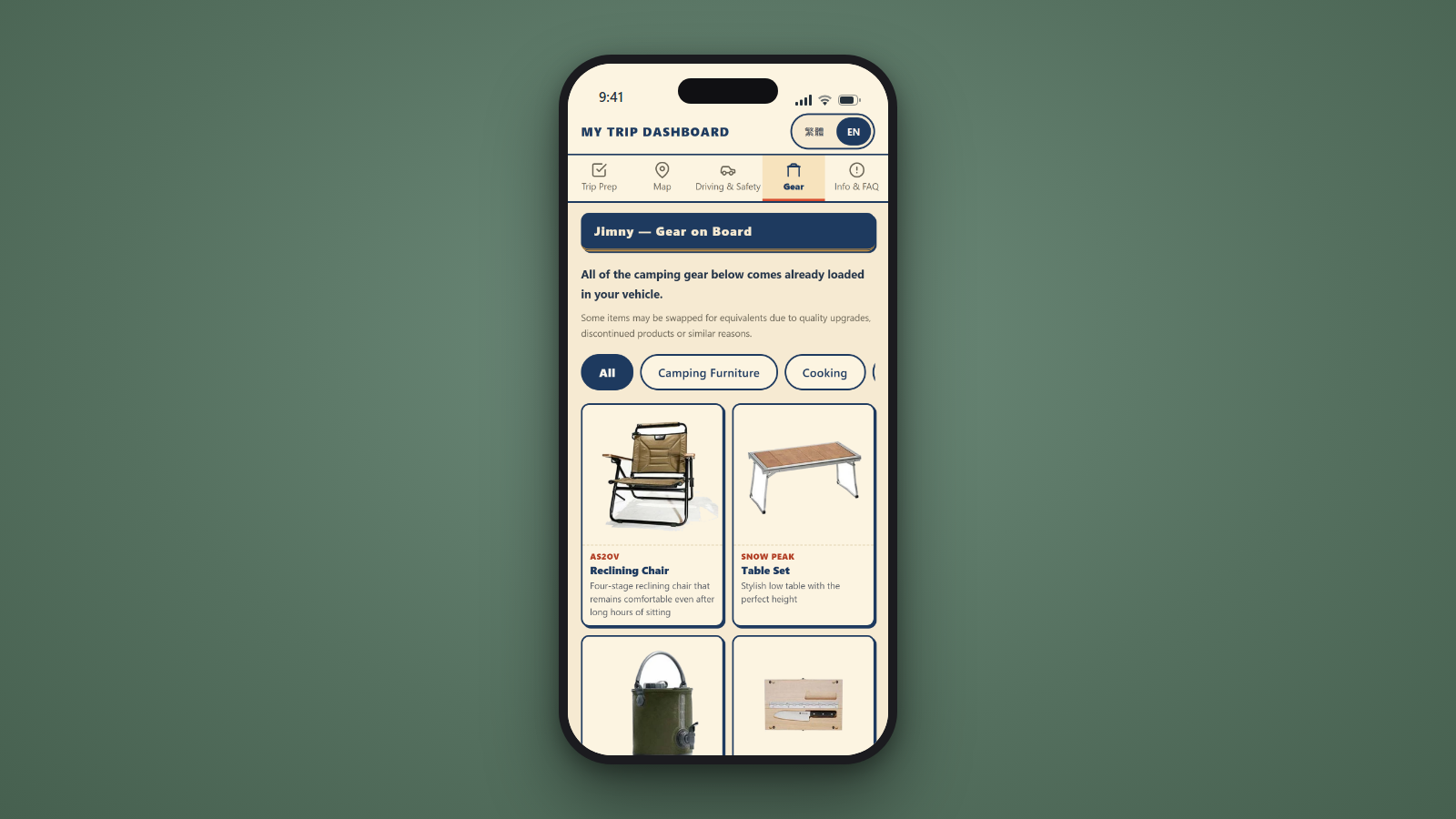
Every piece of camping gear that comes loaded in your vehicle is listed out with photos and explanations.
Every CLOUD NINE vehicle also comes with an iPad on board. It’s loaded with videos covering everything from setting up your rooftop tent to using each piece of gear, so you can watch step by step once you’ve arrived at the campsite. MyTrip Dashboard links to those exact same videos. If you’d rather study up before you even leave, you can watch them anytime from your own phone.
Feature ⑦|A Gas Station on Your Way Back
The Map tab shows you a gas station near your return location, complete with real photos and the address. Just set it as your destination on the way back, and refueling to a full tank before drop-off goes smoothly — no scrambling to find a gas station at the last minute.
Feature ⑧|In Case of Emergency Card
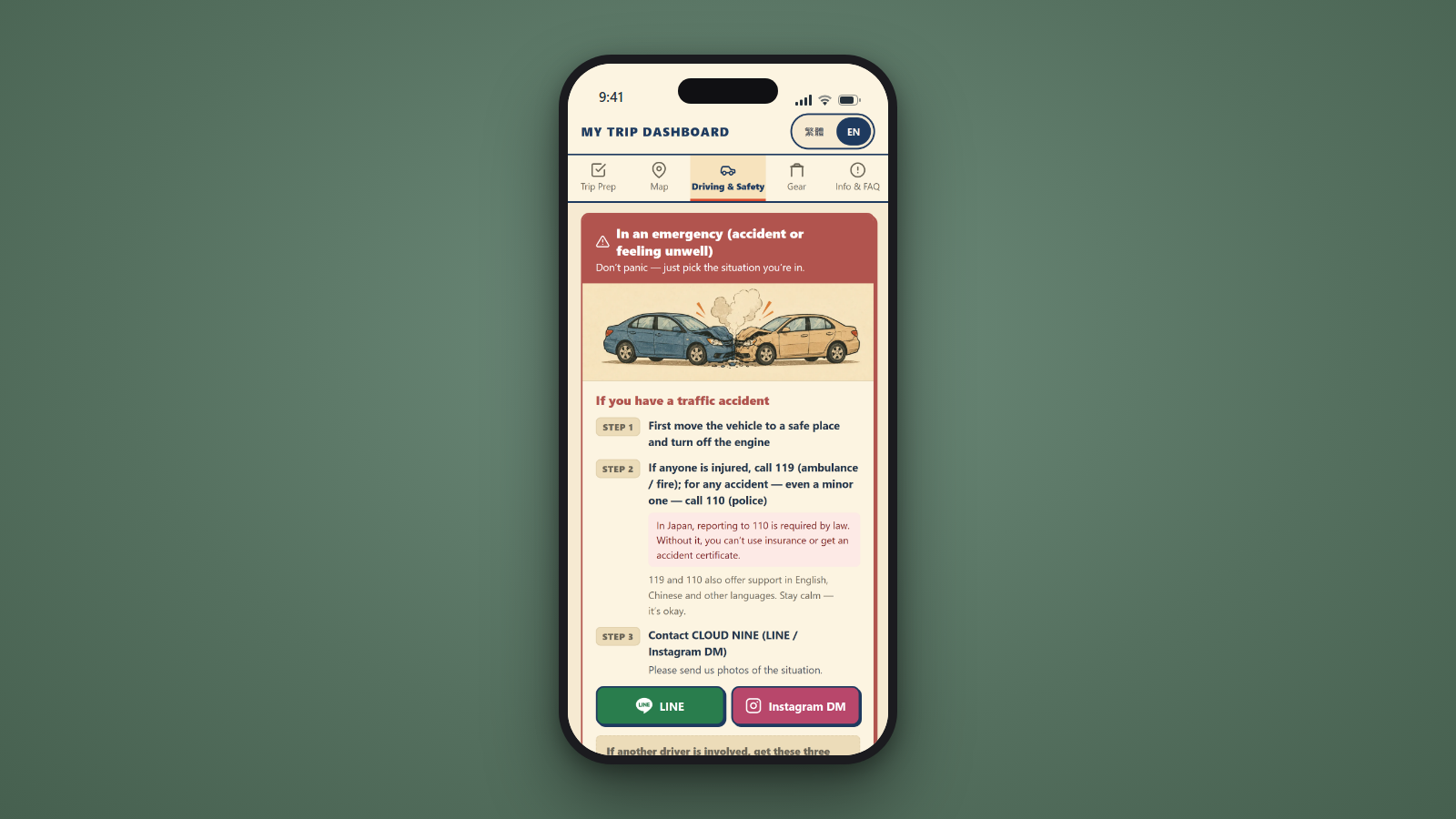 If something ever goes wrong, knowing where to start matters. We put the exact steps to follow and every contact you’d need — including a 24-hour hotline that supports foreign languages — onto a single card. Once your trip is underway, this card automatically moves to the top of the tab, so you’re never left searching for it when it counts.
You can try every screen we’ve just shown you on our demo page — no booking required.
✅ You can look around even before booking — no sign-up required
✅ See the country-specific license guide and driving guide exactly as they appear
✅ Some content, like the campsite list and setup videos, is reserved for guests who’ve booked with us
Our Recommended Way to Use It — Add It to Your Home Screen for Your Own Personal Trip Guide
You don’t need to do anything special to open MyTrip Dashboard. Just tap the personal URL in the confirmation email you get right after booking. There’s no sign-up and no login — and the language automatically matches whatever you booked in, English or Traditional Chinese.
MyTrip Dashboard is issued automatically and free of charge to every guest who books with us. The same URL is also included in your reminder emails one week and one day before departure, so don’t worry if you lose track of the first one.
Once the email arrives, try adding the page to your phone’s home screen. It becomes your own personal trip guide, one tap away, just like an app.
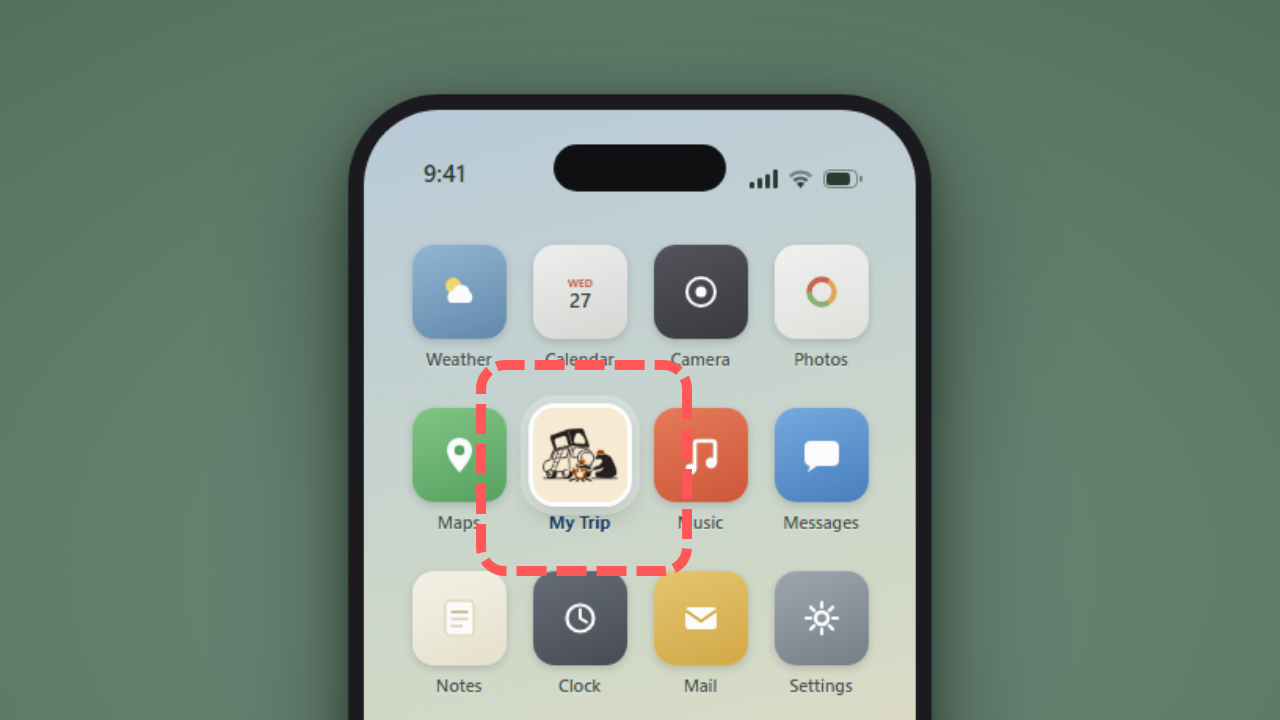
The first time you open it, key information gets saved directly to your device. That means even at a campsite with weak signal, or somewhere out on a mountain road, you can still pull up your emergency contacts, gear list, and FAQ.
From getting ready before you leave to those “wait, how do I do this again?” moments mid-trip — we’d love for MyTrip Dashboard to be the personal concierge that stays with you the whole way through.
One more thing — after you return your vehicle, a coupon for your next trip with us will also show up on this page. The page itself closes about two weeks after your trip ends, so we’d recommend taking a screenshot of your coupon to keep it safe.
What CLOUD NINE Is Working Toward
What we rent out is a car. What we actually want to give you is a trip through Japan you won’t forget. That’s why we work to be Japan’s kindest rental car company, supporting you so you can simply enjoy the journey itself. The ★5.0 rating across more than 1,500 Google reviews is the thing we treasure most.
The language, the road rules, even how to use the car — for anyone visiting Japan for the first time, it’s one unknown after another. Building something that meets each of those unknowns before you even have to ask — that’s what hospitality means to us.
“Can I drive on Japanese roads with my license?” — the question we opened this article with. We don’t answer it with a long email anymore. We answer it with a single URL, built just for you.
MyTrip Dashboard carries a lot of what every single person on the CLOUD NINE CAMPING JAPAN team hopes for — that you walk away with a genuinely good memory, and that you get to enjoy your trip from the heart. We’ll keep growing this page based on real feedback from real guests.
👉 Feel free to reach out anytime to check availability or talk through your travel plans.
Frequently Asked Questions About MyTrip Dashboard
Q. What is MyTrip Dashboard?
A. It’s a personal webpage, issued automatically and free of charge to every guest who books with CLOUD NINE CAMPING JAPAN, built around your specific booking. It brings together everything you need for a camper trip in Japan — license preparation, driving rules, recommended campsites, how to use your camping gear, and more — all in your own language.
Q. Is there a fee to use it?
A. No. It comes free with every booking.
Q. When and how will I receive it?
A. Your personal URL is included in the confirmation email you receive right after booking, and the same link appears again in your reminder emails one week and one day before departure. No sign-up or login is required.
Q. Can I see what it looks like before I book?
A. Yes. We have a public demo you can try, no booking needed: https://mytrip.cloud9camping.jp/demo/
Q. What languages does it support?
A. English and Traditional Chinese. It automatically displays in whichever language you used to book.